
Review and Sign
The review-and-sign page at bitbadges.io/mint/local-builder: paste a transaction or a preview code, review it, and sign in your wallet.
There are two entry points. bb preview and MCP collection-review links use the builder preview described below. bb deploy --browser and inline --browser payment actions use /sign to request a wallet decision and return a result to the CLI. See Main-Wallet Payment Requests for that flow.
The versioned /sign transaction request identifies the expected signer, network, chain IDs, messages, and expiration. Review the exact recipients, amounts, assets, and fees. Changing the wallet, network, or reviewed messages requires a valid matching request before signing. Expiration prevents a new signing action; it cannot undo a transaction already submitted.
The page at bitbadges.io/mint/local-builder turns a transaction built elsewhere into a signed one. It is where bb preview --open and MCP get_review_url links land. Sign in first; the page needs a session.
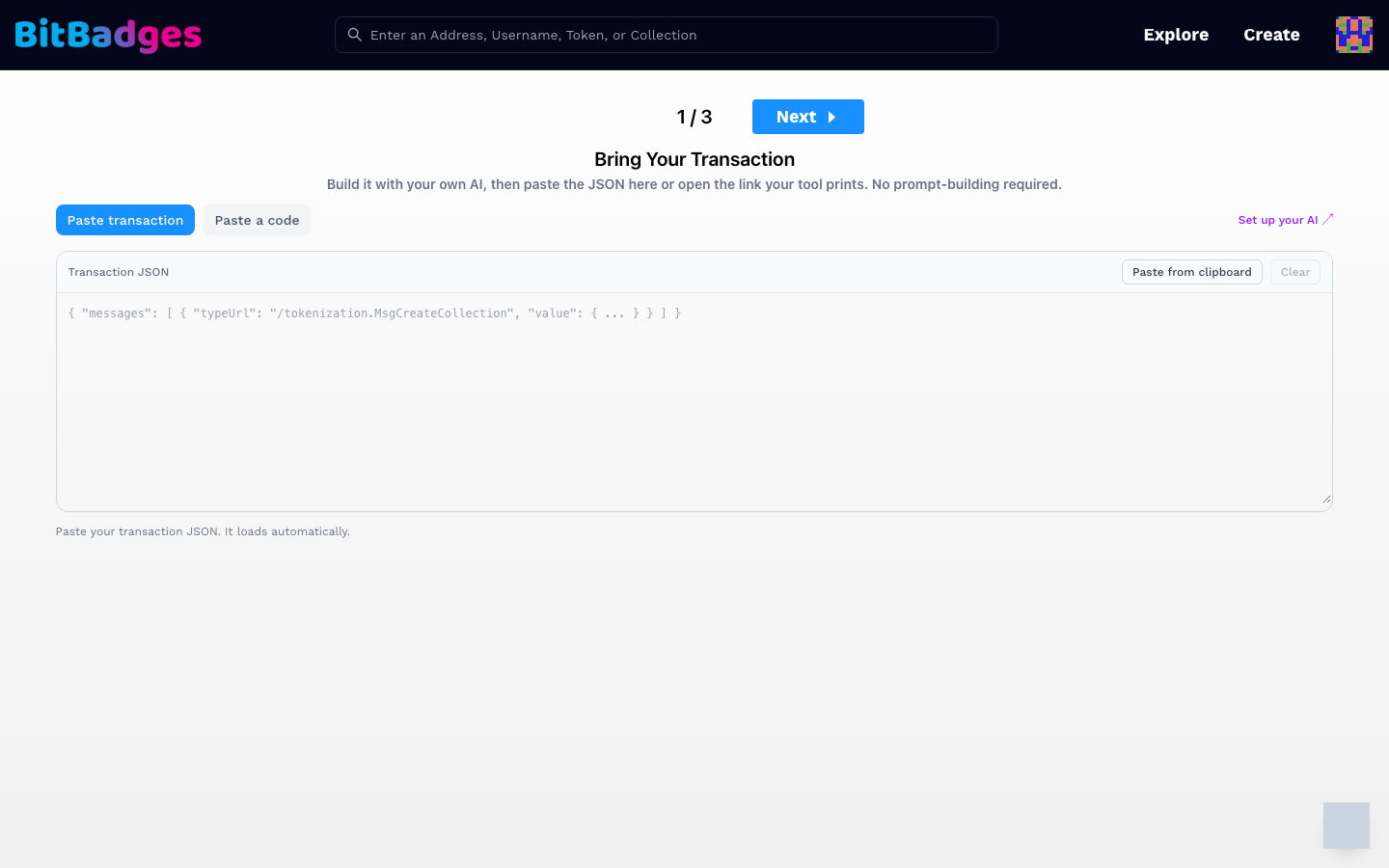
1. Bring Your Transaction
The page opens on step 1 of 3. Three ways to load a transaction:
| Way | How |
|---|---|
| Open a link | bb preview --open prints /mint/local-builder?code=prv_.... The page loads the transaction and lands on Review directly. A link with #tx= carries the JSON itself. |
| Paste a code | Switch to the Paste a code tab and type the prv_ code. Codes expire one hour after creation. |
| Paste transaction | Paste the transaction JSON into the Transaction JSON box, or click Paste from clipboard. It loads as soon as the JSON parses. |
One accepted JSON shape is: { "messages": [ { "typeUrl": "/tokenization.MsgCreateCollection", "value": { ... } } ] }. Set up your AI at the right links to the harness setup page.
2. Review
Step 2 is disabled until a transaction is loaded. It shows the same sidebar as an in-site form:
- Preview: the collection page as it will look on chain.
- Review Items: flags to clear, such as an open permission or a missing metadata field. Each item explains itself and links to the fix.
- Transferability: every approval in the transaction, as cards.
- Permissions: the manager permissions as a question list.
Extra steps appear when the transaction needs them: Claim Secrets when a claim has codes or a password, Fund Mint Address when a mint escrow needs coins, and Auto Transfers when the transaction moves tokens right after creation.
Nothing on this page edits the transaction. If a review item needs a change, fix it in your tool and load the result again.
3. Sign
The last step hands the transaction to your wallet. Approve the signature there. The site broadcasts it and shows the result.
What You Can Do Here
- Load a transaction from a link, a code, or pasted JSON.
- See the preview, review items, transferability, and permissions before anything is signed.
- Sign and broadcast from the wallet you connected.